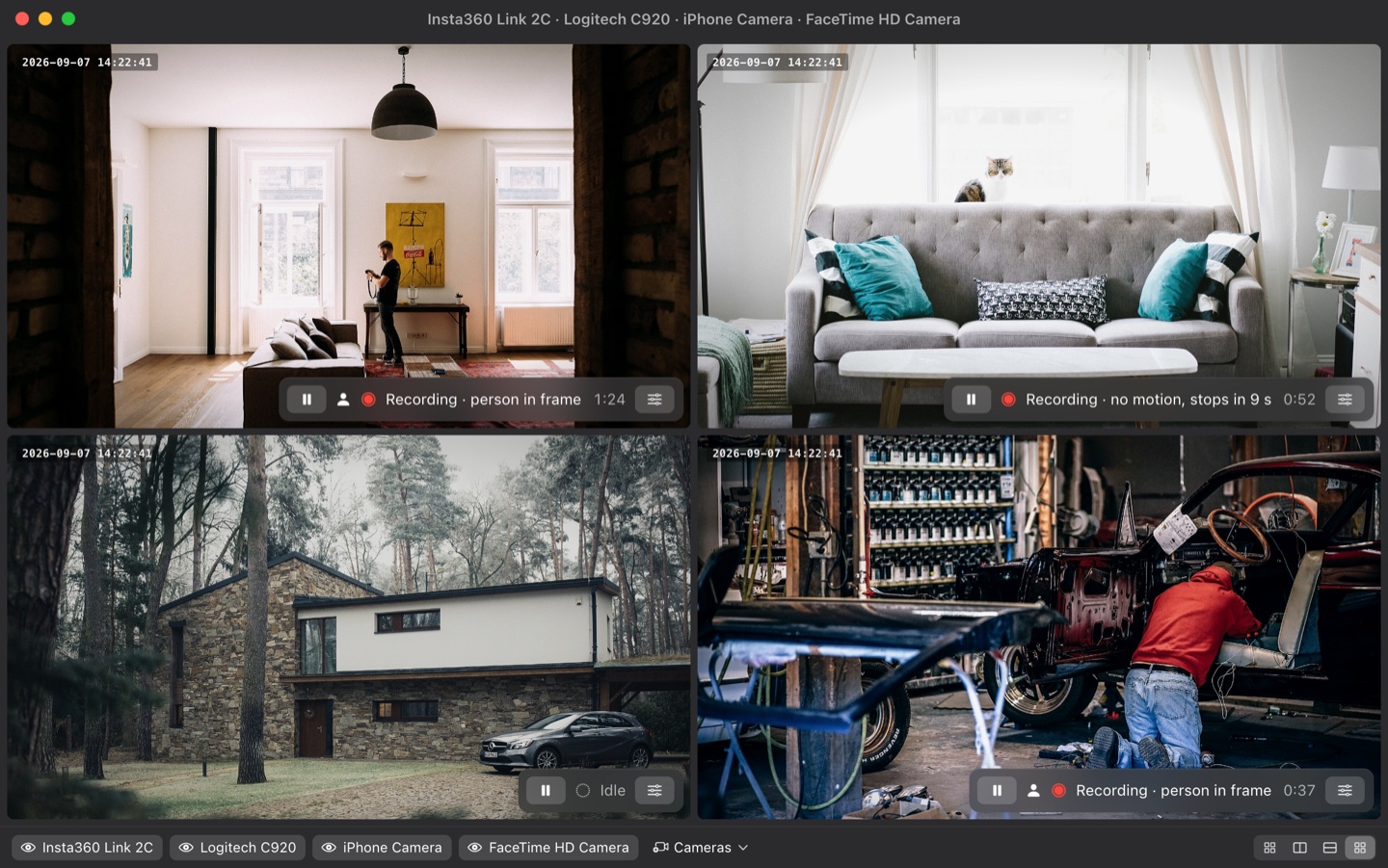
Owl Cam watches your webcam or iPhone, starts recording on movement, and keeps going as long as a person is in frame — even if they sit perfectly still. One clip per event, with a few seconds before it began.
Free forever for one camera · 14-day Pro trial · macOS 14+ · Apple Silicon & Intel

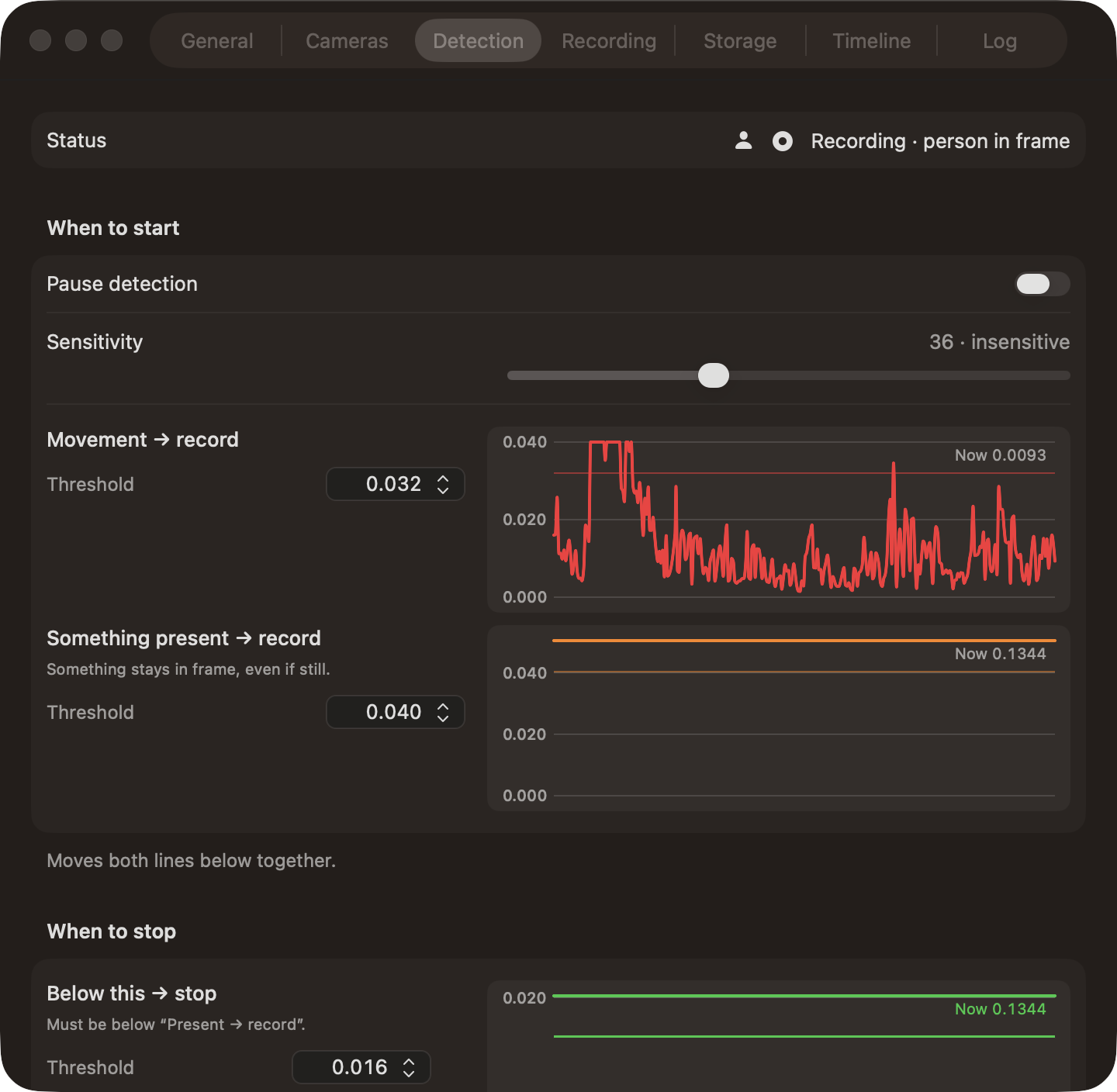
Most motion recorders stop the moment pixels stop changing — so a person reading on the sofa gets chopped into ten clips. Owl Cam keeps a frozen picture of the empty room and compares against that.
Moves → record. Frame-to-frame motion. Fast, immune to light changes. It only ever starts a clip.
Present → record. Difference from the empty scene. Stays high while something is in the room, even if it holds still.
Below this → stop. The clip ends only when the scene reading falls under the line and stays there — and never while Vision still sees a person.

A rolling buffer means the first seconds of every event are in the file, not lost while the detector made up its mind.
Apple's face and body detection runs locally and vetoes every stop while a person is in frame. Nothing is uploaded.
Any camera macOS sees, including Continuity Camera. Each runs its own detector and writes its own folder.
Days with people are marked red. Drag a span on the timeline to get thumbnails; click one to play from that second.
Each frame is stamped with the moment it was shot — pre-roll included — in a position, size and opacity you choose.
Cap by size or free space. Delete oldest, smallest, or clips without people first. Keep anything recent, large, or marked.
Copies finished clips off the Mac, verifies them byte for byte, and catches up on the NAS when it comes back.
Pause by weekday and time window. Recording never stops mid-clip; it simply won't start.
14-day trial starts on first launch, no account. VAT included, handled by Polar.
No. Detection, recording and review are local. The only network call is validating a Pro key. Backups go where you point them.
That is the one thing it is built not to do. The scene line stays high while you're in the room, and Vision vetoes every stop while it sees a person. A hard cap you set ("fully still for N seconds, no one recognised") is the only exit.
Anything macOS exposes as a camera: USB webcams (tested with the Insta360 Link 2C), the built-in camera, and iPhone via Continuity Camera.
Not yet — the first build is signed ad-hoc. Right-click → Open once. Notarized builds are coming; updates will not ask for camera permission again after that.
Try the 14-day trial first. If something's wrong after you buy, email and it gets sorted through Polar.